
The Desktop Killer Fits in a Backpack
Introduction: The End of the Tower Era?
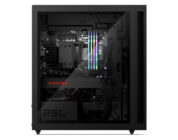
I am currently staring at my trusty HP Omen 25L desktop tower. It sits under my desk like a monolith, humming with the sort of low-frequency vibration that reminds you electricity is being consumed at an alarming rate. It is powerful, yes. But it is also an anchor. For the last decade, the pact we made with the PC gaming gods was simple: if you want high-fidelity ray tracing and triple-digit framerates, you must be tethered to a wall by a heavy box and a spaghetti monster of cables.
Laptops were supposed to be the alternative, but let’s be honest—they were usually compromises. You either bought a “thin-and-light” that sounded like a jet engine and throttled faster than a budget sedan on the Autobahn, or you bought a “desktop replacement” that weighed as much as a newborn child and required two power bricks.
Enter the 2025 ASUS ROG Zephyrus G14 (GA403).
When ASUS sent this unit to the Preview Games labs, I was skeptical. I’ve reviewed the G14 lineage since its inception. It has always been good, sometimes great, but usually plagued by the heat physics of stuffing high-wattage components into a 14-inch chassis. But looking at the spec sheet for this 2025 model—an NVIDIA GeForce RTX 5080 and the new AMD Ryzen AI 9 HX 370 packed into a 1.50 kg CNC-milled aluminum slab—I realized we might finally be at the tipping point.
Is it possible to retire the tower? Can a machine this small actually run Cyberpunk 2077 with Path Tracing without melting a hole through my desk? I spent two weeks with the G14 to find out, and the answer is complicated, expensive, and absolutely thrilling.
Design & The “OLED” Factor: MacBook Envy is Over
If you cover up the ROG branding, you could easily mistake the new G14 for a piece of industrial art from Cupertino. The redesign that started a couple of years ago has matured beautifully here. The 2025 chassis is CNC-milled aluminum unibody, and the rigidity is exceptional. There is zero deck flex. When you type, it feels like striking a solid block of metal.
At 1.59 cm thin and weighing just 1.50 kg (3.31 lbs), the density of this machine is striking. It feels heavy for its size in a premium way, dense with copper and silicon. The “Slash Lighting” LED array returns on the lid. It’s customizable, allowing for some witty patterns or notifications, but let’s be real: as a reviewer who values utility, I usually turn it off to save battery. However, for the gamer who wants to signal their allegiance at a coffee shop without the obnoxious “gamer red” accents of the past, it’s a tasteful compromise.
But the real story here is the screen.
ASUS has fitted this unit with a 14-inch ROG Nebula Display OLED, sourcing a top-tier Samsung panel. We are looking at a 3K (2880 x 1800) resolution with a 120Hz refresh rate and a blistering 0.2ms response time.
In 2025, if your premium gaming laptop doesn’t have an OLED, you are buying obsolete tech. The contrast ratio is infinite. In games like Elite Dangerous or Dead Space, space isn’t grey—it’s the absence of light. The VESA DisplayHDR True Black 500 certification isn’t just a sticker; it’s a promise. Colors pop with 100% DCI-P3 coverage, making this not just a gaming toy, but a legitimate weapon for color grading and content creation.
The panel is also G-SYNC compatible. I cannot stress enough how vital this is. On an OLED, frame tears are glaringly obvious because the pixel response is so fast. G-SYNC smooths out the dips when you’re pushing the RTX 5080 to its limits. Yes, OLED burn-in is still a theoretical risk, but with modern pixel shifting and pixel refresh tech, it’s a risk I am willing to take for this level of visual fidelity.
The Engine Room: Ryzen AI & The RTX 5080
Let’s pop the hood—metaphorically, because opening this chassis is a precision operation.
At the heart of the G14 is the AMD Ryzen AI 9 HX 370. This chip features 12 cores and 24 threads, but the marketing buzz this year is all about the NPU (Neural Processing Unit) capable of up to 50 TOPS. While “AI” is the marketing buzzword of 2025, for gamers, the benefit of this chip isn’t the AI—it’s the efficiency. AMD has managed to squeeze high-end performance per watt here that Intel is still struggling to match in the mobile space. It allows the machine to handle background tasks and OS overhead without waking up the GPU beast, preserving thermals for what matters: gaming.
And then, there is the monster: The NVIDIA GeForce RTX 5080 Laptop GPU.
Now, we need to have a serious talk about expectations. This is the mobile RTX 5080, capped at a 110W TGP (Total Graphics Power) plus Dynamic Boost. It is not the desktop card. However, the architecture of the 50-series is remarkably scalable. ASUS claims they’ve solved the thermal throttling issues of the past using a “Tri-Fan” cooling system that introduces a third auxiliary fan to help move air over the VRAM and VRMs.
But here is where my brow furrows. The RAM.
The unit comes with 32GB of LPDDR5X-7500. It is fast. It is snappy. It is also soldered.
In 2025, selling a “Pro” level laptop for $2,699 with no upgrade path for RAM is a hostile design choice. 32GB is the sweet spot today, but what about two years from now? If you are a video editor or a 3D artist, you are stuck. You cannot buy a 64GB kit later. You buy what ASUS gives you, and you like it. For a machine that rivals desktops in power, lacking the modularity of a desktop is a bitter pill to swallow.
Gaming Performance: The Numbers Don’t Lie
Enough spec-sheet philosophizing. How does it run?
I ran my standard suite of benchmarks, and the results caused me to double-check my settings to ensure I wasn’t streaming from a cloud rig.
Synthetic Benchmarks:
In 3DMark Time Spy, the G14 posted a score of roughly 22,800. To put that in perspective, that is a massive generational leap over the RTX 4080 and 4090 laptop variants of previous years. We are approaching desktop RTX 4070 Ti / 4080 territory in a laptop that fits in a tote bag.
Cyberpunk 2077:
This is the torture test. Running at native 1800p with Ray Tracing set to Overdrive (Path Tracing). In previous years, this would be a slideshow on a 14-inch laptop.
With the new DLSS 4 (which includes the latest iteration of Frame Generation and Ray Reconstruction), the G14 managed a stable 65-70 FPS.
Let that sink in. You are playing one of the most demanding games ever made, with full path tracing, on a portable device, at over 60 frames per second. The OLED screen makes the neon lights of Night City pierce through the gloom in a way my desktop IPS monitor simply cannot match. It is immersive to the point of distraction.
Call of Duty: Black Ops 6:
For the competitive crowd, I ran the latest CoD. Native 1800p, High settings, no ray tracing. The result? A rock-solid 110 FPS.
The 120Hz panel keeps up beautifully here. The 0.2ms response time of the OLED means there is virtually no ghosting. Tracking targets feels instant. While e-sports pros might want 240Hz or 360Hz, for the rest of us, 120Hz OLED is a superior experience to 360Hz IPS.
Thermals & Acoustics:
Here is the physics check. You cannot dissipate 200W+ of combined heat in a 14-inch chassis without consequences.
During the Cyberpunk sessions, the surface temperature near the center of the keyboard (around the ‘Y’ and ‘H’ keys) hit 46°C. That is hot. It’s not “burn your skin” hot, but it is uncomfortable for prolonged contact. The WASD keys stayed relatively cool thanks to the air intake design, but the metal chassis conducts heat everywhere.
As for noise, the Tri-Fan system works, but it has to work hard. In Turbo mode, the fans hit 48dB. It’s a whooshing sound—less high-pitched than previous generations, which is a relief—but you will want noise-canceling headphones.
The Daily Driver:
The G14 has a split personality. Plugged in, it’s a hot, loud gaming monster. Unplugged, it transforms into one of the best ultrabooks on the market.
Battery Life:
This is where the AMD Ryzen AI 9 HX 370 flexes. In my “Productivity Loop” test (WiFi on, brightness at 50%, browsing Chrome, watching YouTube, editing documents), the G14 lasted an exceptional 9.5 to 10 hours.
This breaks the curse of the gaming laptop. You can actually take this to work or class without the power brick. It rivals the battery life of non-gaming productivity laptops.
Note: Gaming on battery is still futile. You’ll get less than 1.5 hours and performance drops off a cliff. Don’t do it.
Audio:
I usually gloss over laptop speakers because they are universally terrible. The G14 is the exception. ASUS has crammed a 6-speaker setup into this thing, featuring “Dual Force-Canceling Woofers.”
The sound is rich, full, and actually has bass. It rivals the MacBook Pro 14, which has held the audio crown for years. Explosions have impact, and dialogue is crisp. I actually watched a full movie on this without reaching for my headphones.
Verdict: Is it Worth $2,699?
The ASUS ROG Zephyrus G14 (2025) is a marvel of engineering. It defies the logic that says you cannot have top-tier performance, excellent build quality, and all-day battery life in a single device. It is the closest thing we have to a “perfect” portable gaming machine.
However, perfection has a price tag: $2,699.
That is a lot of money. For that price, you could build a desktop that outperforms this by 30% and still have money left over for a nice monitor. If you are a gamer who plays primarily at a desk, buy a desktop. The G14 is not for you.
This laptop is for the traveler. It is for the consultant who lives in hotels, the student who moves between dorms and lecture halls, and the creator who needs to edit 4K video on a flight and then play Cyberpunk at the hotel.
The soldered RAM is the only thing keeping this from a perfect score. It is a planned obsolescence timer ticking inside a premium chassis. But if you can live with 32GB (and most of us can), this is the undisputed king of the 14-inch category.
The desktop isn’t dead yet, but with the G14, it’s certainly getting harder to justify keeping the tower.